Why I built it instead of using something off the shelf
Climbing training apps tend to fall into two categories. The first group includes overly general fitness trackers. They know nothing about climbing demands like finger tendon loading, antagonist training, or hip mobility for high feet. The second is climbing-specific apps that are well-designed but subscription-based and carry more features than I need.
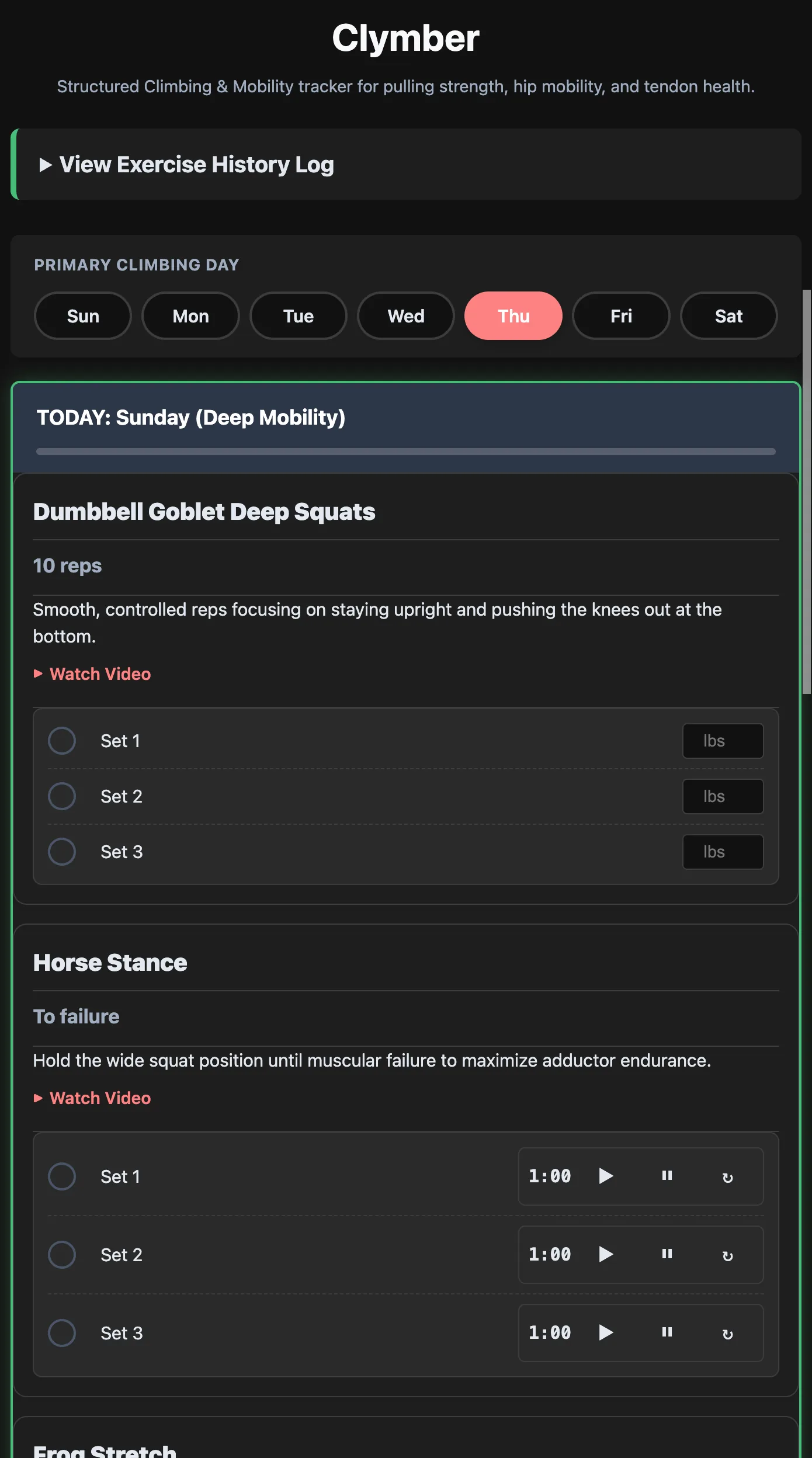
What I actually wanted was simple: a structured checklist of the exercises I am supposed to do on a given training day, a timer I can tap without hunting for it, and a history log I can review to see if I have been consistent. That is it.
None of the apps I tried gave me exactly that without also giving me a lot of things I did not want. So I built it.
What it tracks
Clymber is organized around three categories that matter for climbing conditioning:
- Pulling strength, covering exercises like dead hangs, lock-offs, and pull variations that develop the finger and upper body strength most relevant to climbing
- Hip mobility, covering the range of motion work that matters for high-stepping, drop-knees, and anything requiring external rotation
- Tendon health, covering the lower-intensity isometric and eccentric work that keeps fingers, elbows, and shoulders injury-resistant over a long training career
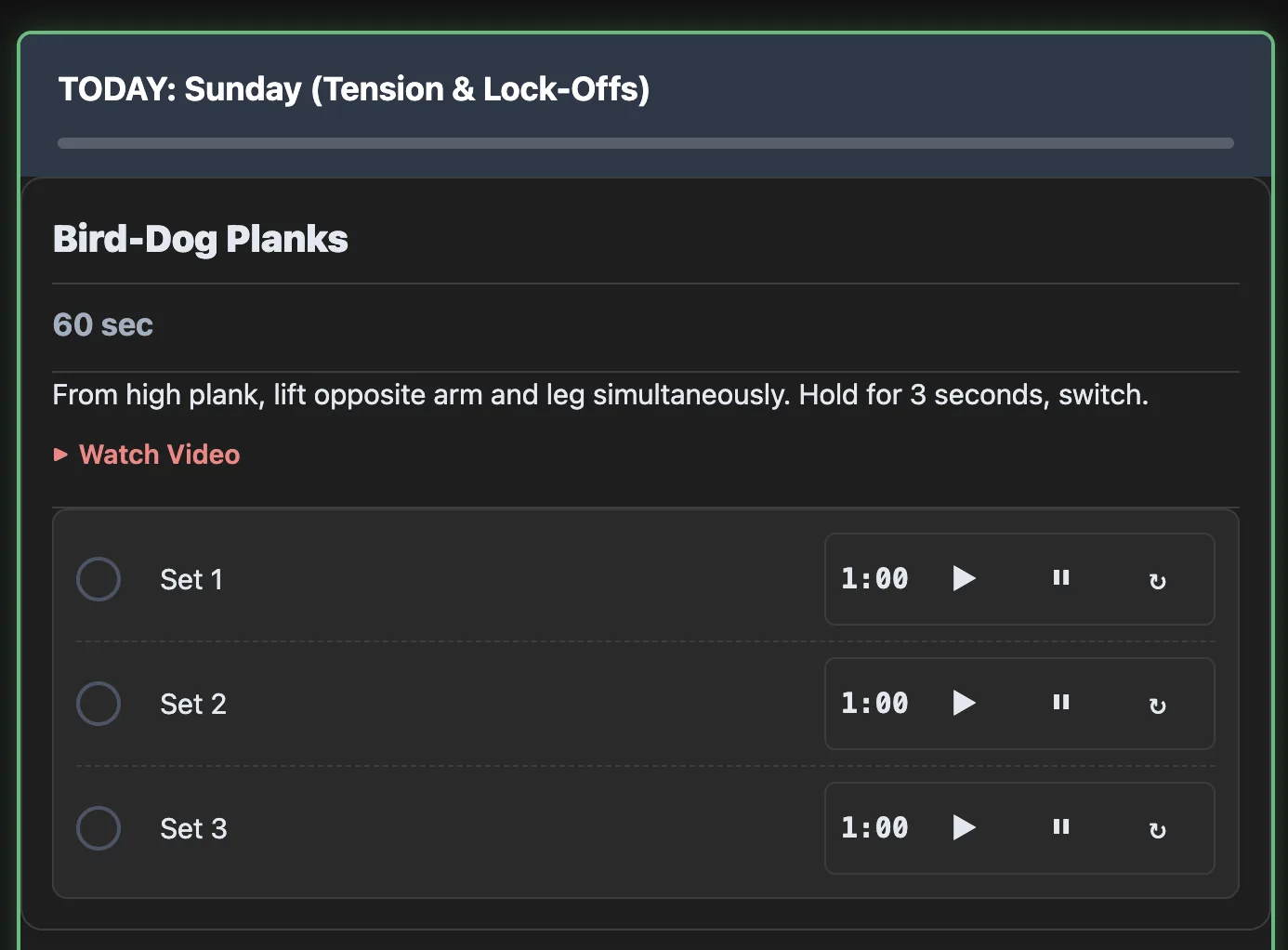
Each exercise in the app has a built-in timer. Tap once to start, tap again to stop. The timer is large and accessible because at the wall, fumbling for a tiny button in between sets is not acceptable.
The history log
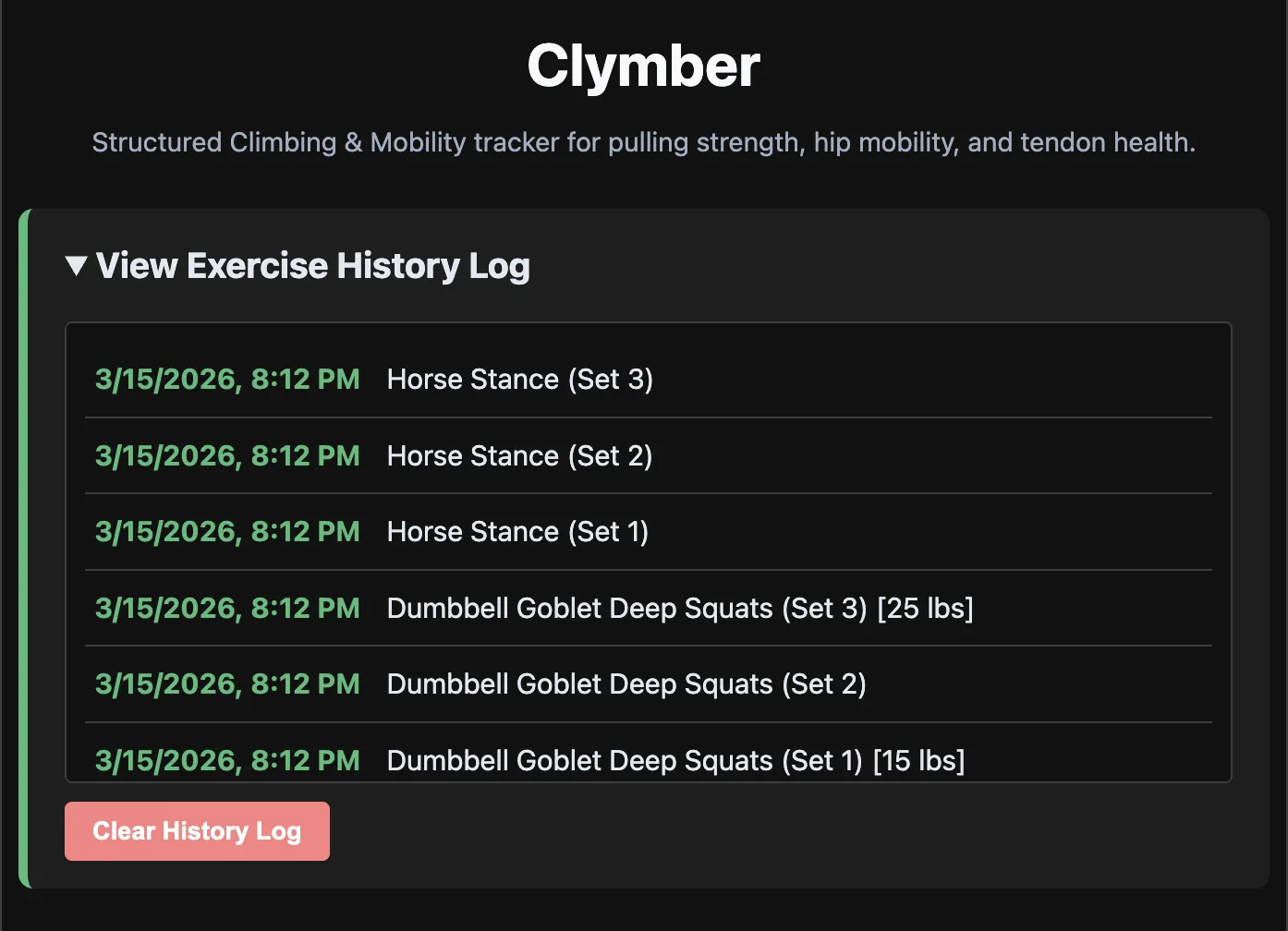
Every completed session is written to localStorage with a timestamp. The history view shows sessions in reverse chronological order so you can quickly scan back across the last few weeks and see whether you have actually been doing the work.
It is a deliberately simple implementation. No graphs, no trends, no analytics. Just a dated list of what you did and when. The goal is accountability, not data analysis.
Technical decisions
Clymber is vanilla JS, no framework, deployed to Cloudflare Pages via the same scaffold.sh workflow I use for all my projects. It is designed to work as a progressive web app: add it to your home screen and it launches full-screen without a browser address bar, behaving like a native app.
The mobile-first layout prioritizes large tap targets throughout. Every interactive element is at least 44px tall. The timer display is the largest element on screen because it is the thing you look at most during a session.
There is no backend and no account system. Everything lives in the browser. That is a deliberate trade-off: it means the app is fast, private, and works offline, at the cost of not syncing across devices. For a training log I use on one phone, that trade-off is entirely acceptable.
Try it at climb.uihub.app. Add it to your home screen on iOS or Android for the full app-like experience.