Clean Room is now Unelon
In July I wrote up Clean Room, a login-free viewer for X posts. The product worked. The name did not. Nobody hits an X sign-in wall and types "clean room" into Google. They type "twitter login bypass" or "view X without an account." Clean Room described the feeling. It never described the job.
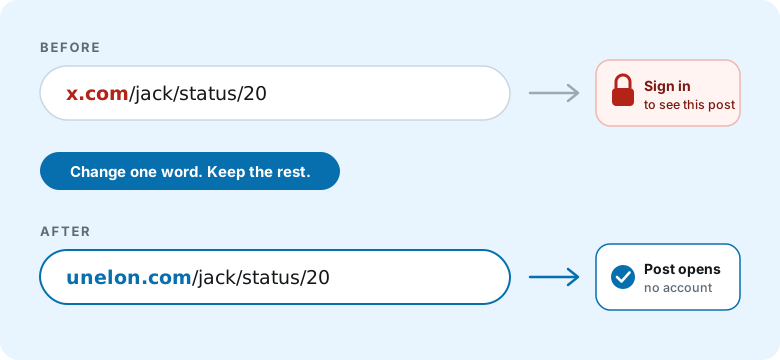
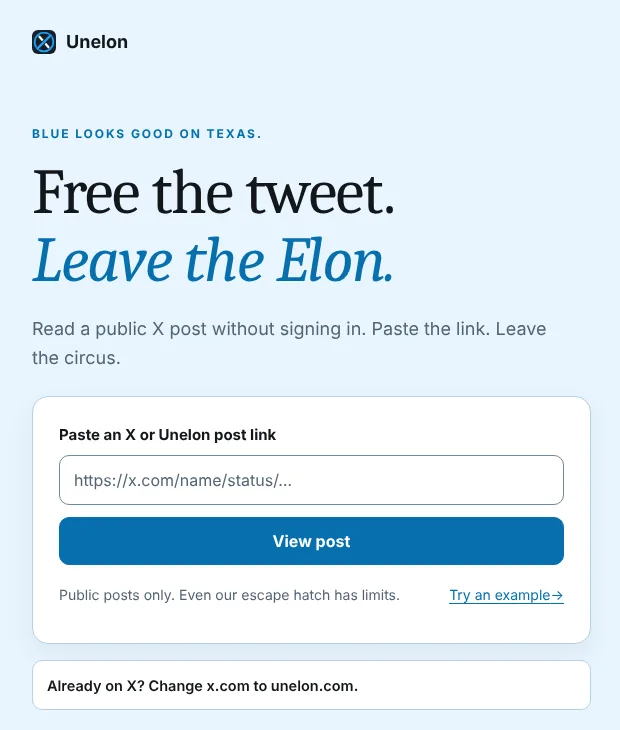
Unelon fixes both halves. The name is short and says whose platform you are stepping around. The domain doubles as the instructions. Swap x.com for unelon.com and you are done. Someone who reads the URL once can use the product forever without visiting the homepage again.
Nothing broke in the move. Every clean.corbet.app address returns a 301 to unelon.com with the path intact, so a clean link shared in July still opens the same post today.
Why a Twitter login bypass got harder in 2026
Logged out, X puts a sign-in prompt in front of most pages, and the mobile app shows nothing until you log in. For years the standard workaround was Nitter, an open source alternative front end for X, usually through a public instance like XCancel. Most "Twitter login bypass" guides still recommend it.
That advice is now stale. X Corp sent cease and desist letters to Nitter and XCancel on August 24, 2026. Both came back briefly in early September. Then the Nitter repository was archived on September 11, and XCancel suspended service again on September 14, according to TechCrunch. Some independently run instances may still exist. None of them are something you can count on.
Here is where every common method stands as of November 2026:
| Method | Works today? | What you actually get |
|---|---|---|
| X app or x.com, logged out | No | A sign-in prompt in front of most pages. |
| Nitter or XCancel | No | Shut down after legal action from X in September 2026. |
Google site:x.com search | Partly | A snippet. Clicking through lands on the same wall. |
| Wayback Machine | Partly | Only posts someone already archived. Media often missing. |
| Unelon | Yes | Any public post, text first, media from X's own embed. |
The search and Wayback tricks fail in the most common case: a friend sends you one link and you want to read it. That narrow case is the only one Unelon solves. It solves it well.
How to view an X post without an account
- Copy the post link. It looks like
https://x.com/name/status/1234567890. Oldtwitter.comlinks have the same shape. - Change the domain to
unelon.com. Keep everything after it. - Open the new link. Unelon redirects to its reader at
unelon.com/x/plus the post number and shows the post with no login prompt.
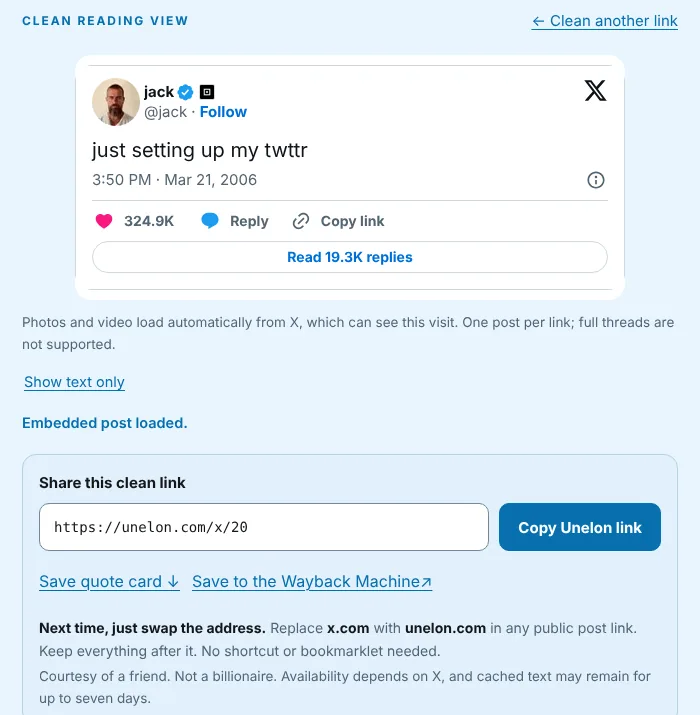
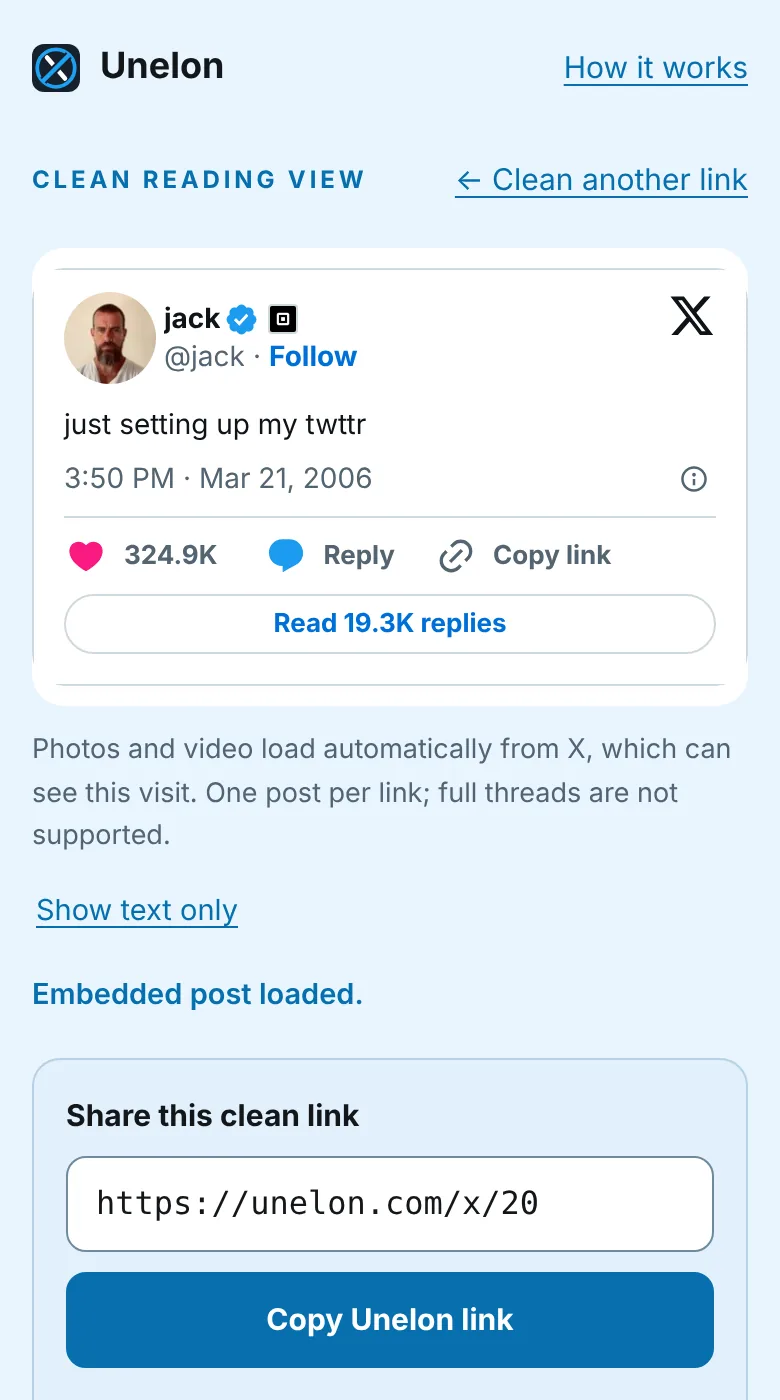
If editing a URL on a phone sounds miserable, paste the original link into the field on the homepage instead. There is also an iOS Shortcut and a desktop bookmarklet, covered below.
Why it works when Nitter got shut down
Nitter rebuilt X's whole product. Timelines, profiles, search, and replies, all pulled from X and re-rendered on someone else's server. X's legal letters called that scraping. Whatever you think of that claim, a full mirror of the platform gives X a large surface to object to.
Unelon does one thing, and it is the one thing X publishes an API for. X's oEmbed endpoint at publish.x.com/oembed is keyless and public. It is the same endpoint news sites and blogs use every time they embed a post. Unelon's Worker asks it for one post, renders the text on the server, and then lets X's own embed load the photos and video in your browser. That is not a loophole. It is the front door X built for embeds, pointed at a single reader.
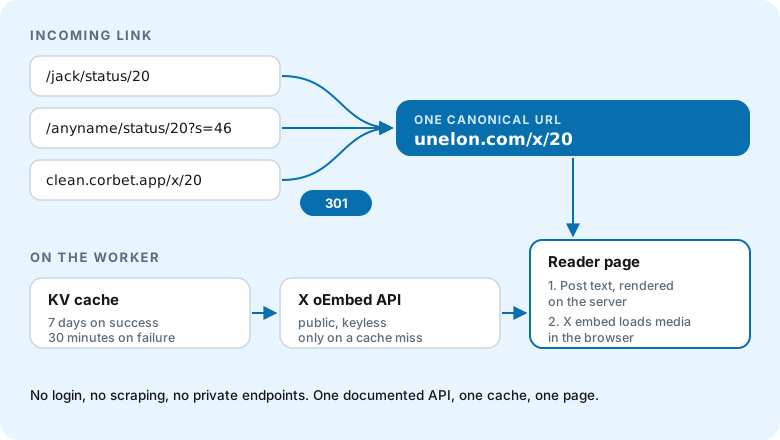
The tradeoff is reach for durability. Unelon cannot show a profile, a thread, or a search result, and it never will. In exchange, it depends on one documented endpoint instead of a stack of private ones. The honest caveat: if X changes or retires oEmbed, Unelon stops working. That risk is real. It is also the same risk every embedded post on the web carries.
Text first, embed second
The design rule carried over from Clean Room is fallback first. The post text from oEmbed is rendered on the server and paints before any X script runs. X's embed then loads on its own and replaces the card once it renders. If the embed is blocked or slow, the text card stays, and nothing on the page reads as an error.
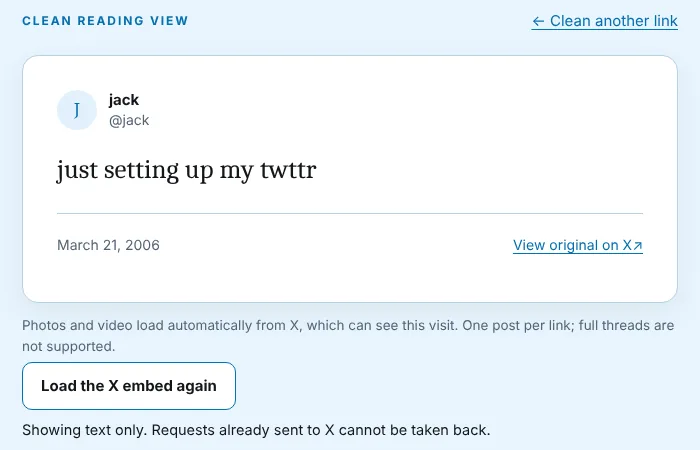
A "Show text only" link removes the embed entirely. The page is upfront that this cannot undo requests your browser already made to X, which is the kind of sentence most privacy tools leave out.
The URL swap is a redirect, not a router
The biggest UX change from Clean Room is that Unelon accepts X's own URL shape. Clean Room needed you to paste a link or run a Shortcut. Unelon takes any /name/status/id path and answers with a 301 to the canonical /x/id reader. One post, one address. Caches, chat link previews, and search engines all see the same URL no matter how the visitor arrived.
// Both entry points collapse to one canonical reader URL.

// 1. The swapped X path redirects to the reader
$ curl -sI https://unelon.com/jack/status/20 | grep -iE '^(HTTP|location)'
HTTP/2 301
location: https://unelon.com/x/20

// 2. Old Clean Room links keep their path through the domain move
$ curl -sI https://clean.corbet.app/x/20 | grep -iE '^(HTTP|location)'
HTTP/2 301
location: https://unelon.com/x/20
The username in the X path is ignored on purpose. The post number is the only stable identifier, and usernames change. Redirecting on the number alone means a post still opens after its author renames the account. The redirect also drops the ?s= share-tracking parameter X appends to links copied from the app, so the clean link really is clean.
Shareable without the link
Some chats mangle links and some people will not tap one. Every post gets a generated 1200 by 630 quote card at /x/:id/card.png, rendered on the Worker. It unfurls when the link is shared, and the reader's "Save quote card" link downloads it.
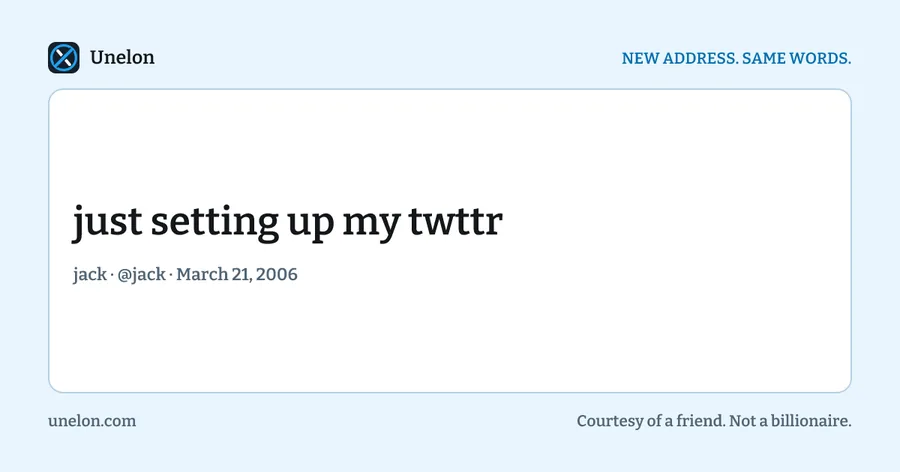
On devices with a native share sheet, the reader offers a Share button through the Web Share API, with Copy as the fallback. A finished share sheet only means the sheet closed, so the page never claims your message was sent.
For people who do this a lot
The URL swap is all you need. Two optional extras save a little typing.
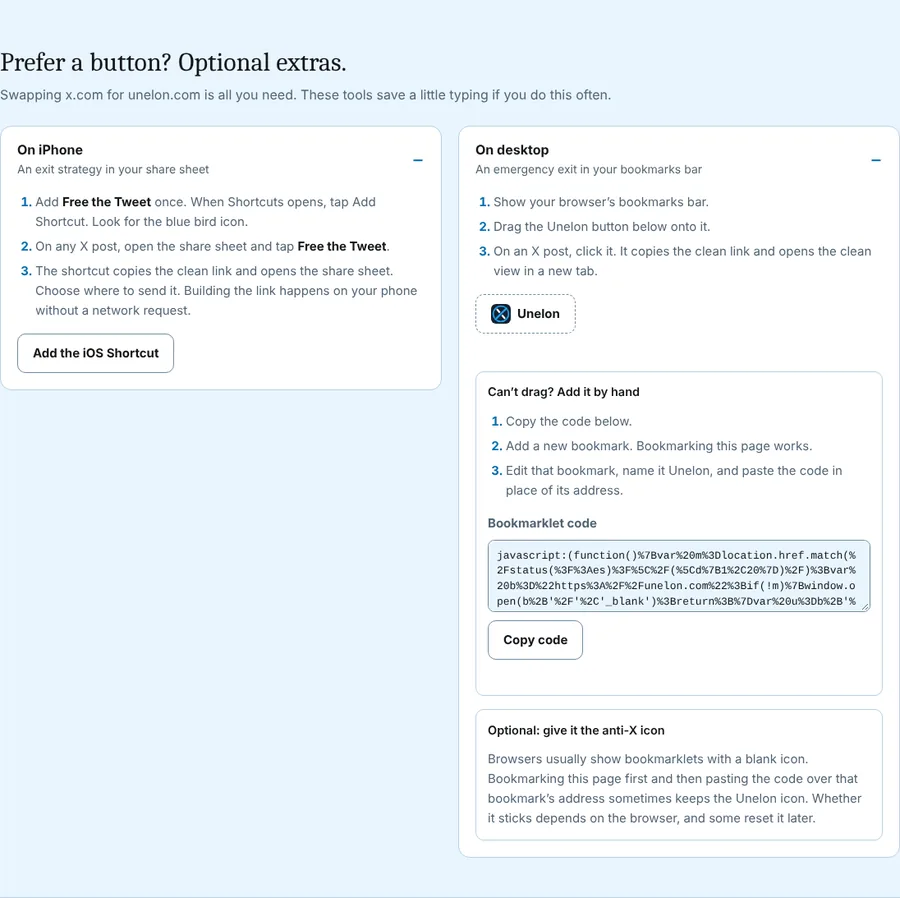
- Free the Tweet, the iOS Shortcut. Share any X post to it from the share sheet. It builds the clean link on your phone without a network request and hands it to the share sheet. The published Shortcut predates the rename, so it still builds
clean.corbet.applinks, which redirect to Unelon. - The Unelon bookmarklet. Drag it to your bookmarks bar, click it on any X post, and it copies the clean link and opens the reader in a new tab.
Copy confirmations announce through an aria-live="polite" region, so screen reader users get the same feedback sighted users do.
What changed in the privacy line
The Clean Room write-up said no analytics. That is no longer true, and I would rather say so here than leave the old claim standing. Unelon runs Cloudflare Web Analytics, which counts pageviews and page performance without analytics cookies or ad trackers. Reader URLs contain the post number, so the analytics and Cloudflare's standard request logs both see it.
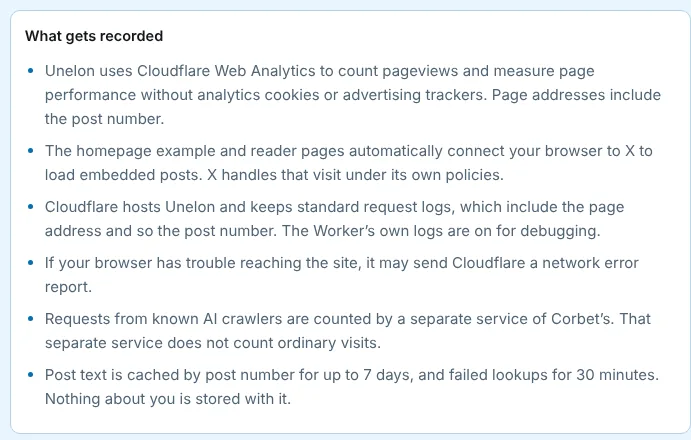
The full list is on the landing page. The Worker's own logs are on for debugging. If your browser has trouble reaching the site, it may send Cloudflare a network error report. A separate service of mine counts known AI crawlers and ignores ordinary visits. And X can see you, because the reader connects your browser to X to load the embed. Embeds are requested with Do Not Track on, which X may ignore. Unelon is a login bypass. It is not an anonymity tool.
What Unelon will not do
- One public post per link. No threads, no profiles, no timelines, no search.
- No protected posts. Protected, deleted, and unavailable posts all look the same from oEmbed, so Unelon does not guess which one you hit.
- Media depends on X. Photos and video come from X's embed. If X does not serve them, Unelon cannot either.
- Seven-day text cache. Post text is cached for up to seven days, and failed lookups for thirty minutes. A post deleted on X can still show its text here until the cache expires.
Twitter login bypass FAQ
Is it legal to bypass the Twitter login?
I am not a lawyer, so this is not legal advice. Unelon only reads public posts through X's own published embed API. It never logs in, never touches protected accounts, and gets the same data a news site gets when it embeds a post. Your use of the content is still covered by X's terms.
Can you use X without an account?
You can read individual public posts. You cannot post, reply, like, follow, send messages, or scroll a feed without an account. Unelon covers the reading part, one post at a time.
Does Nitter still work?
Not reliably. After X's legal action in August 2026, the Nitter repository was archived on September 11 and XCancel suspended service on September 14. A few independent instances may still run, but none are dependable.
Can X see that I opened a post on Unelon?
Yes, when the embed loads. Your browser connects to X to fetch the embedded post and its media. Unelon requests embeds with Do Not Track on, which X may not honor.
Does it work with twitter.com links?
Yes. Replace twitter.com with unelon.com the same way. The path is identical, so the redirect is identical.
Unelon is at unelon.com. Change x.com to unelon.com in any public post link, or grab the Free the Tweet Shortcut or the bookmarklet from the landing page. It is free, it needs no account, and it never will.