The problem with fresh installs
The first time you reinstall macOS, you spend a day putting things back together from memory. You forget a tool here, a config there. Two weeks later you realize your shell prompt looks wrong because you never restored your Oh My Zsh theme. Three months in, you discover your Alfred workflows are gone because you forgot to back up a hidden directory.
The second time you reinstall, you take notes. The third time, you start writing scripts. By the fourth time, you want the whole thing to be automatic.
That is what fresh is: the accumulated result of doing this enough times to get methodical about it.
What it covers
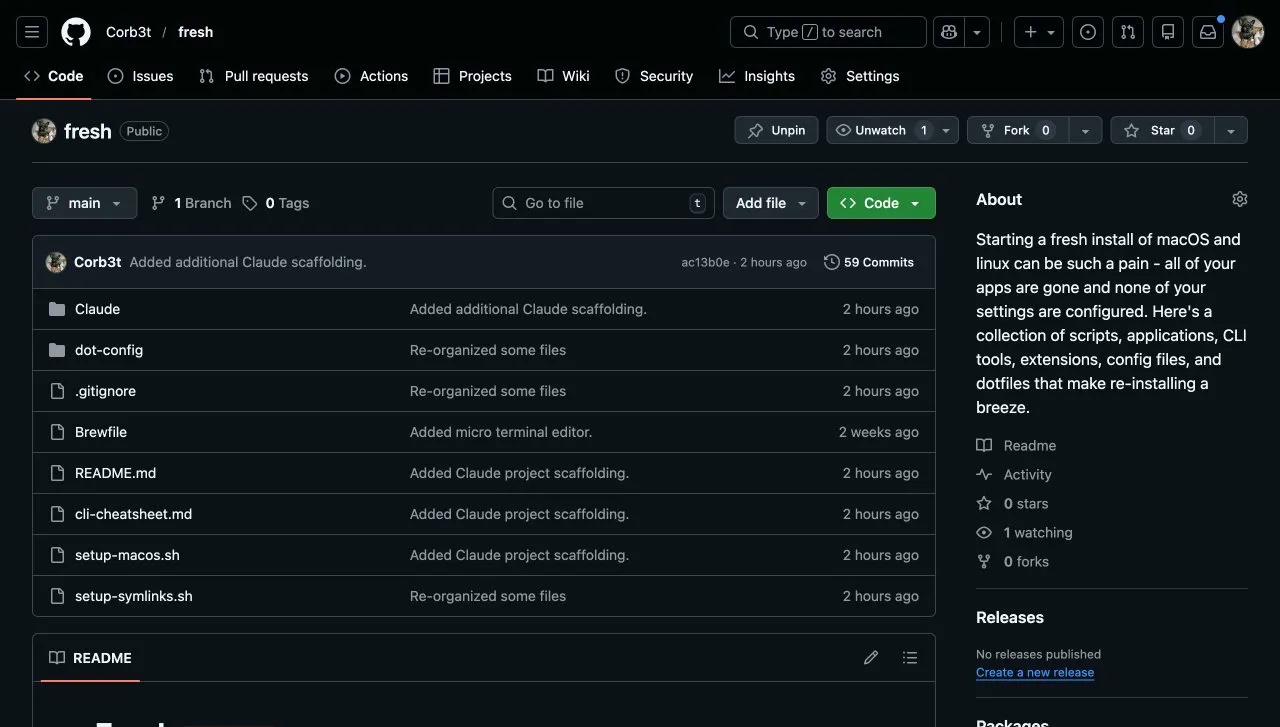
The repo is organized around the categories of things that need to happen on a fresh install:
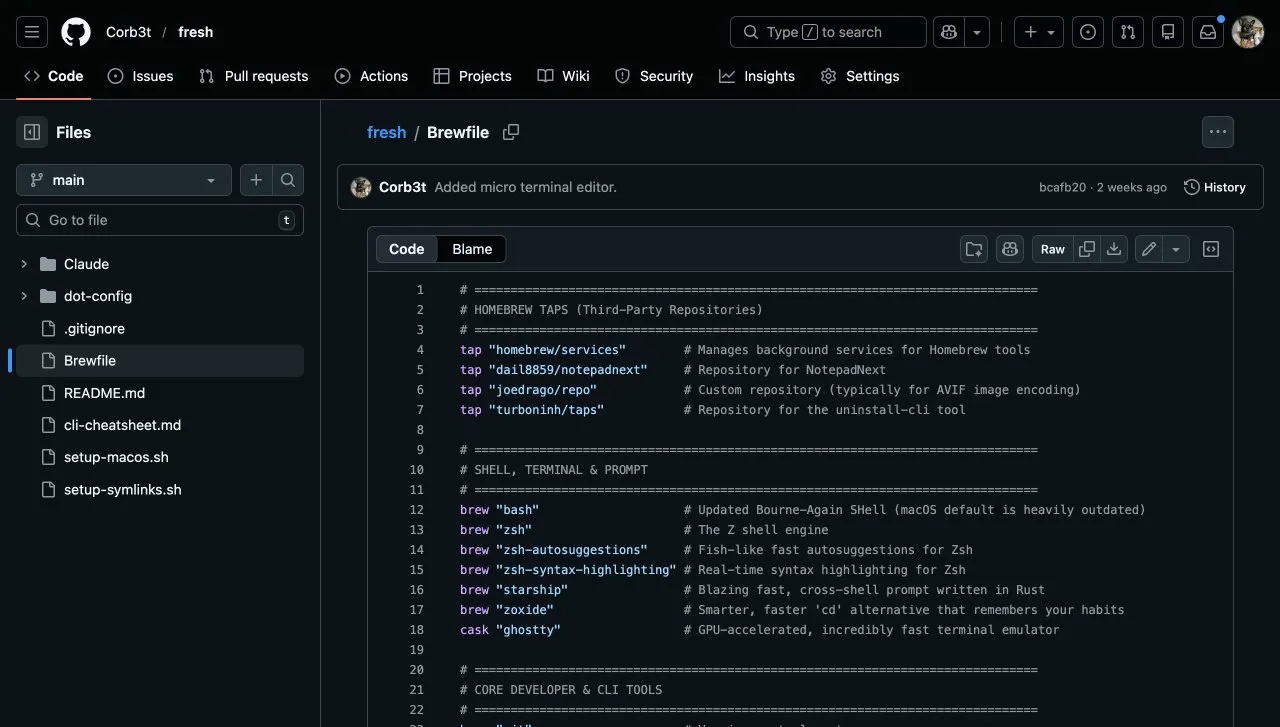
brew bundle installs the lot.- Homebrew packages and casks installed via a
Brewfile, covering CLI tools, apps, and fonts in a singlebrew bundlecall - Shell configuration including Oh My Zsh, the theme, and the plugins I actually use
- Dotfiles for
.zshrc,.gitconfig, and application-specific config files - macOS system preferences set via
defaults writecommands, covering things like key repeat rates, trackpad behavior, and Finder settings that would take 20 minutes to configure manually - CLI tools including GitHub CLI, Wrangler, and 1Password CLI configured to match the rest of my toolchain
- Application settings for tools like Alfred, BetterTouchTool, and Karabiner-Elements, where the value is entirely in the configuration rather than the app itself
How it works
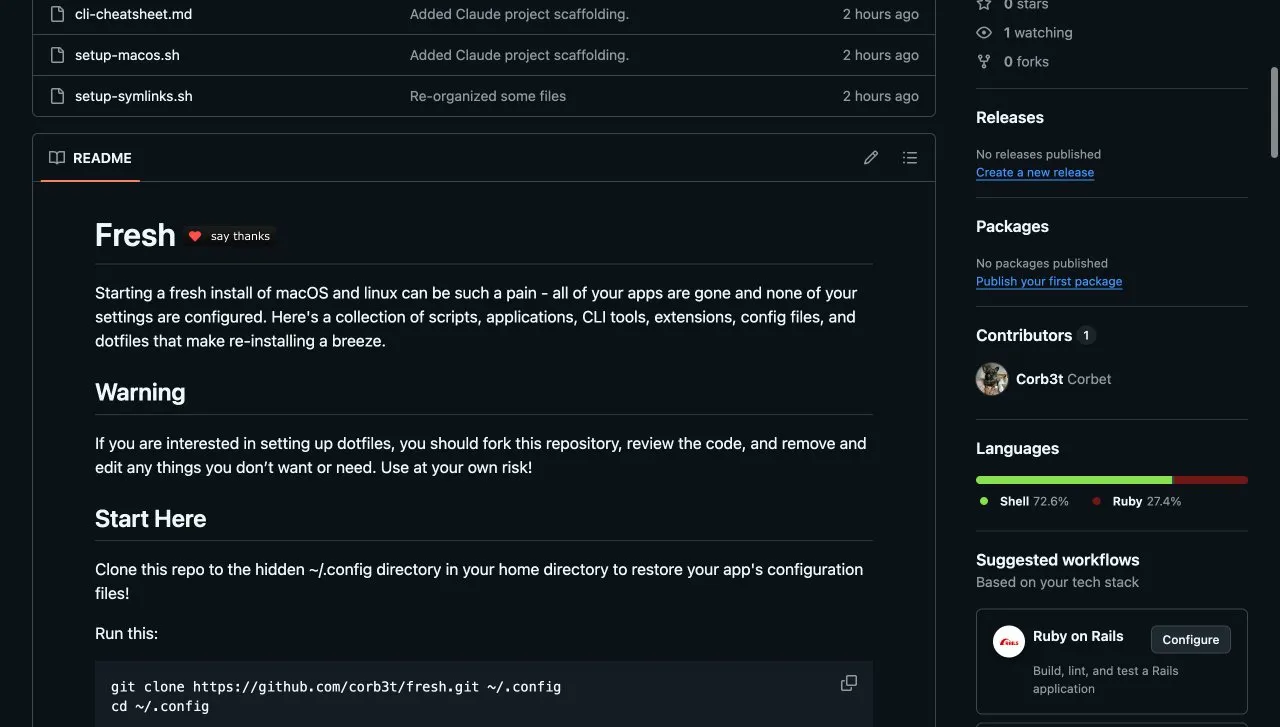
The entry point is a single bootstrap script. On a clean machine you can run it with one command once Homebrew is installed:
# On a fresh machine, after installing Homebrew:
git clone https://github.com/Corb3t/fresh ~/.fresh
cd ~/.fresh
bash bootstrap.sh
The bootstrap script is intentionally idempotent. Running it on an already-configured machine is safe: Homebrew skips packages that are already installed, defaults write overwrites existing values, and symlinked dotfiles get updated rather than duplicated.
The dotfiles approach
Rather than copying dotfiles to their destination, fresh symlinks them from the repo. This means the repo is always the source of truth. Any edit to ~/.zshrc is actually an edit to ~/.fresh/dotfiles/.zshrc, which means it gets committed and pushed automatically as part of normal git workflow.
It also means syncing between machines is a git pull.
Why a repo and not a backup tool
Backup tools like Time Machine solve a different problem. They restore a snapshot of a machine, including whatever drift and clutter had accumulated. A fresh install from scripts starts clean and adds back only what is intentional. The difference matters when you are also trying to change things, not just restore them.
The repo approach also makes configuration visible and reviewable in a way that binary backups are not. You can read the Brewfile and know exactly what is installed. You can read the macos.sh script and know exactly what system preferences have been changed from defaults.
The full repo is at github.com/Corb3t/fresh. Fork it, gut it, and make it yours. The value is in the structure more than any specific set of tools.