Why I built it
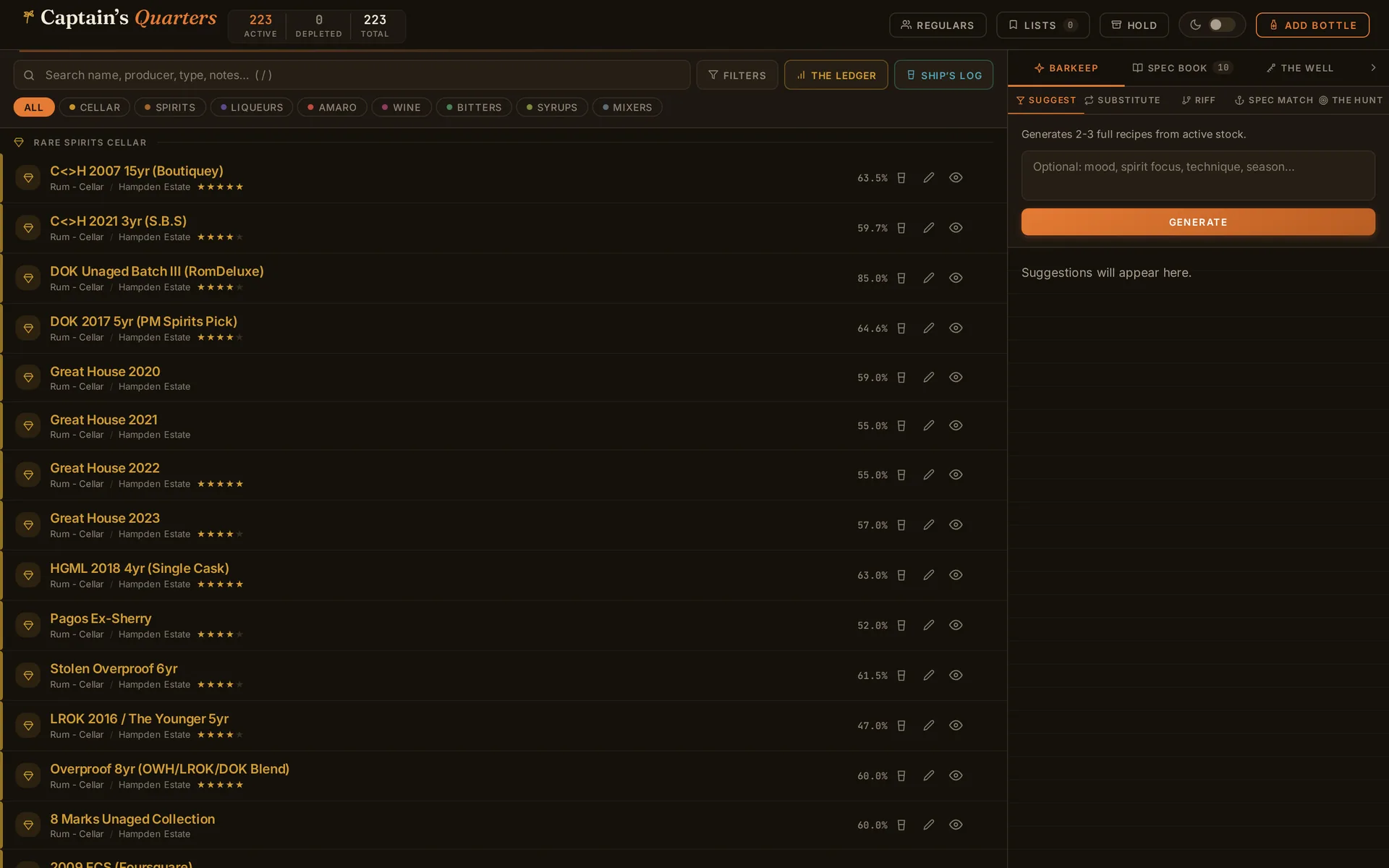
The collection outgrew the spreadsheet a long time ago. I had 223 bottles across the bar, and 93 of them were a rum cellar I actually care about tracking: Hampden, Foursquare Exceptional Cask, Caroni, Velier bottlings that are worth more closed than open. A spreadsheet can hold that list. It cannot tell me what I can make tonight, what a pour of the Caroni costs me, or whether I have opened the Smith and Cross enough times to justify buying a backup.
I wanted one screen that did the whole job. Show me the bar. Suggest a drink from what is actually open. Keep the recipes I like, do the batch math when I am making six of something, and log what I pour so the cellar numbers stay honest. Nothing off the shelf did all of that the way I think about a bar, so I built it, and I built it as a single file on purpose.
What it does
Captain's Quarters is a home bar run like a small ship, and the features are named to match. Underneath the theming each one does a plain job:
- The inventory holds every bottle, with the rum cellar as its own section and per-bottle photos, ratings, and prep notes on the bottles where prep notes actually mean something.
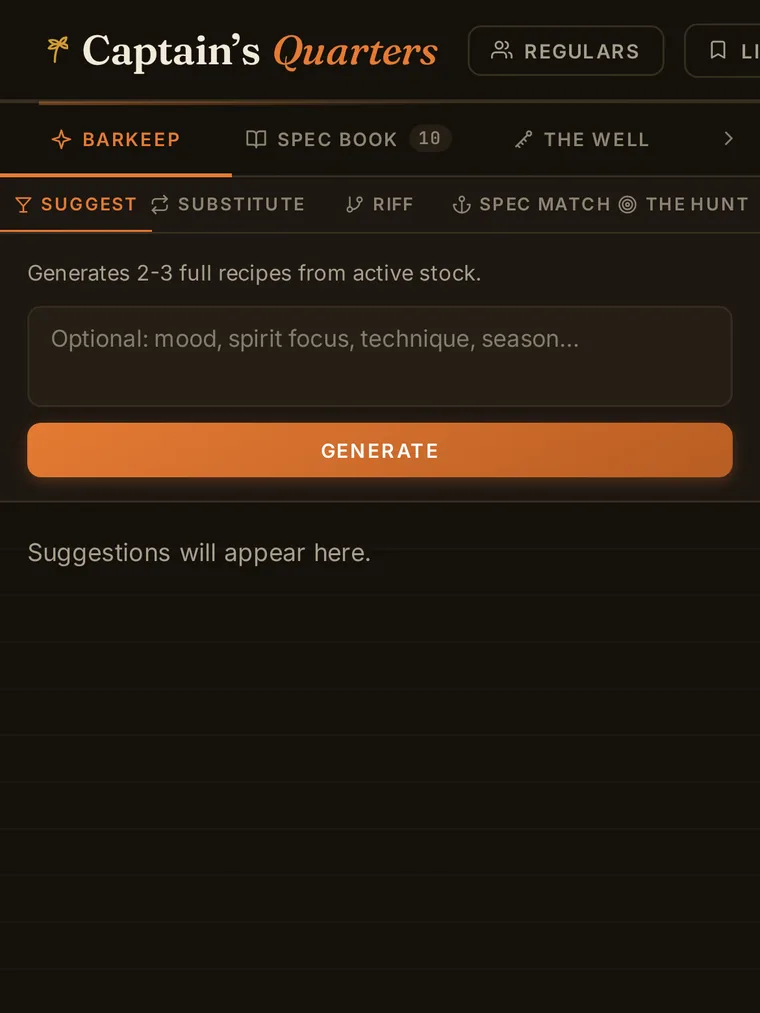
- Barkeep is an AI bartender with five modes. It reads what is open and suggests drinks that fit my flavor rules instead of a generic cocktail dictionary.
- The Spec Book is the saved recipes, and it can check a recipe against current stock before you commit to it.
- The Well is the batch calculator, for when one Daiquiri becomes a pitcher of eight.
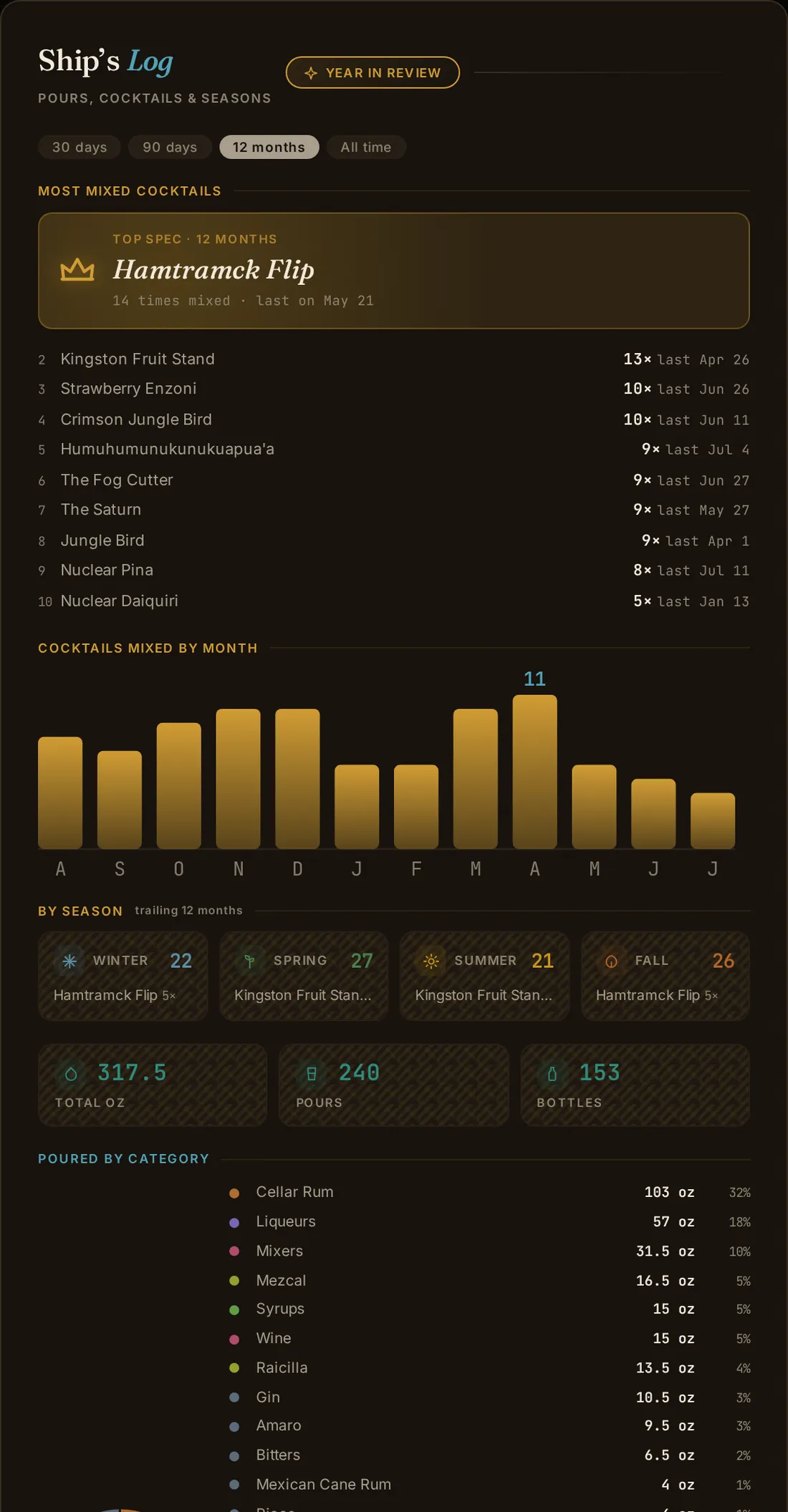
- Ship's Log logs pours and cocktails made, and charts what the bar is actually doing over time.
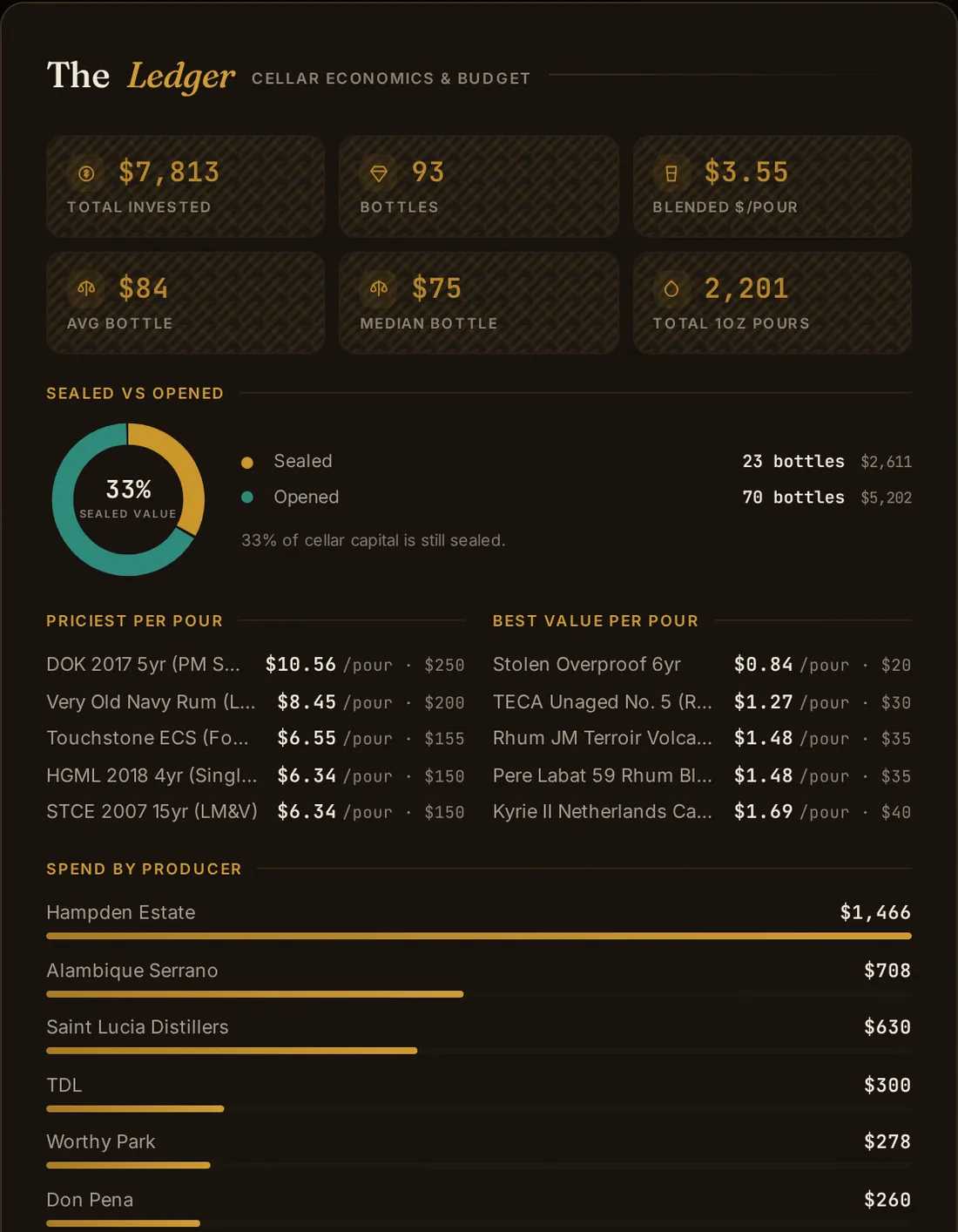
- The Ledger is the cellar economics: what a bottle cost, what a pour of it costs, and what the shelf is worth.
- The Regulars tracks guests and their palates. White Whales and The 86 List are the hunt list and the out-of-stock list.
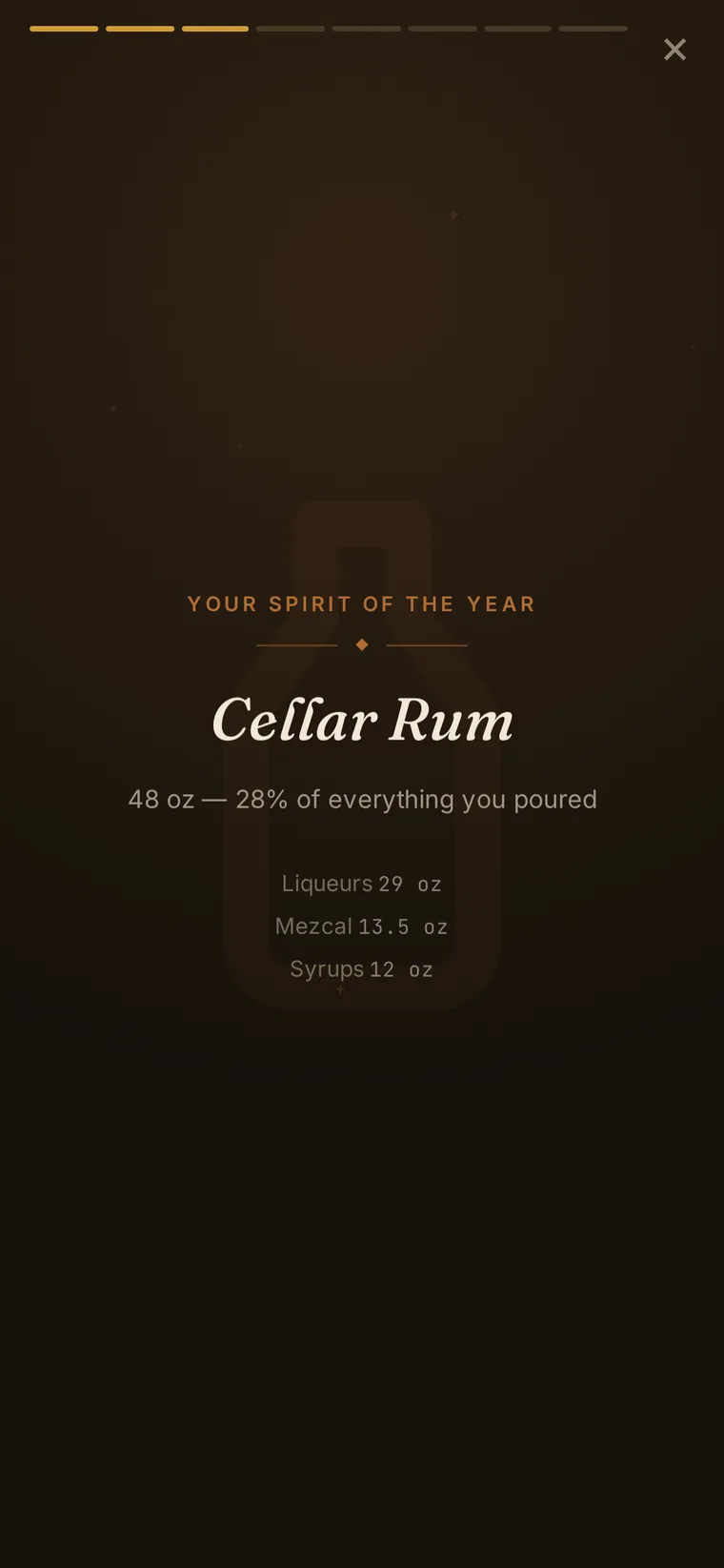
- Year in Review is a Spotify-Wrapped-style story of the bar's year with a share card you can download.
The interesting part of this project is not the feature list, though. It is that all of it lives in one file that has to behave in three very different places.
One file, three runtimes
Captain's Quarters started life as a claude.ai artifact, which is a nice place to build a UI fast but a strange place to keep something you want to use for years. So the same bar-assistant.html now runs in three environments, and it figures out which one it is in at boot. It never asks; the environment tells it.
In the artifact, claude.ai hands the page a window.storage object and an authenticated path to the model, so the file uses those as given. On my deployed copy at bar.corbet.app there is a Cloudflare Worker instead, so storage and the model both go through /api/*. Opened as a plain local file, it falls back to localStorage and quietly turns the AI off, because there is no server to proxy it. The whole decision is a handful of lines near the top of the script:
// Three runtimes, detected in order at boot. The page never asks;
// the environment it loads into answers for it.
const IS_ARTIFACT = !!window.storage;          // claude.ai injects storage + an AI proxy
const IS_DEMO     = !IS_ARTIFACT && location.pathname.startsWith('/demo');
const IS_REMOTE   = !IS_ARTIFACT && !IS_DEMO && location.protocol !== 'file:';

// The one line the whole AI layer hangs on:
const AI_URL   = IS_ARTIFACT ? 'https://api.anthropic.com/v1/messages' : '/api/barkeep';
const AI_MODEL = IS_ARTIFACT ? 'claude-sonnet-4-20250514' : 'claude-sonnet-5';
That last pair of lines earned its comment the hard way. The model the artifact proxy speaks to no longer exists on the public API, so the deployed copy has to ask for a different one. Two runtimes, two model names, one file that picks the right one for wherever it woke up. There is also a fourth mode hiding in that snippet, the demo, which is the version anyone can open, and I will come back to it.
The design system it has to pass
The whole thing runs on a design system I call Golden Age of Rum. Fraunces for headings, Inter for body, JetBrains Mono for the numbers. A sand-and-cotton light theme and a molasses-black dark one. Falernum orange is the one color that means "do the thing," aged amber is the cellar and the gold, deep ocean blue is for pours and links. It is deliberately not the default look every generated app arrives wearing.
The part I am most disciplined about is contrast. Accessibility here is not a nice-to-have I promise myself I will get to; it is a test that fails the build. The verification harness computes real WCAG contrast ratios on both themes, including on the raised surfaces where a lazy color choice usually slips through, and if I retune a color past the line the harness catches it before I ever see the app. The trade-off is that I cannot just grab a prettier orange when I feel like it. The trade-off is worth it.
The cost of a system this specific shows up in the boring places. The category colors, the ones that tint rum one shade and gin another, live in four separate spots: the CSS variables, two JavaScript lookups, and the constants that draw the downloadable share card on a canvas. Change one and the other three have to move with it or the pie chart and the share image quietly disagree with the app. A single file does not save you from that; it just puts all four in the same haystack.
Barkeep, and keeping the key on the server
Barkeep is the AI bartender, and it is the one feature that cannot be a flat file. It has five modes, from "suggest something from what is open" to riffing on a drink I already like, and it works because the model can see my actual inventory and my flavor rules: savory, high-proof, ester-forward, no high-fructose corn syrup, a default ratio I lean on. Those rules live in the system prompt so I do not have to restate them every time.
The thing you do not do with a feature like this is put an API key in a file you serve to the browser. In the artifact, claude.ai owns that problem. On my own deployment I own it, so every one of Barkeep's call sites points at /api/barkeep, a Worker route that holds the key as a secret and forwards the request. The browser never sees it. That is the entire reason the runtime switch above exists: same buttons, same prompts, but the key stays on the server side of the fence.
Making the data survive two devices
Once the app lived on a real backend I had a problem the artifact never posed: I open the bar on my phone at the shelf and on my laptop at the desk, and both of them think they know the current state. If they both just write, the last one to finish wins and silently erases the other. That is exactly the bug you do not notice until it eats a pour you logged.
The fix is optimistic concurrency, and it is small. Every value in the store carries a version number. When the app writes, it sends the version it believes it is updating. If the server has moved on since, because the other device got there first, it rejects the write with a 409, and the client adopts the server's version and retries once:
// Every write carries the version it thinks it is replacing.
const put = ver => fetch(stateUrl(k), {
  method: 'PUT', credentials: 'same-origin',
  headers: { 'Content-Type': 'application/json' },
  body: JSON.stringify({ value: v, version: ver })
});

let r = await put(versions.get(k) || 0);
if (r.status === 409) {                       // another device wrote first
  const cur = await fetch(stateUrl(k)).then(x => x.json());
  r = await put(cur.version);                 // adopt its version, retry once
}
The state itself sits in Cloudflare D1, the bottle photos go to R2, and the whole app is fenced behind Cloudflare Access so only I can reach the private copy. There is also a write-through cache in localStorage, so the app opens instantly with the last state it saw and reconciles with the server a beat later instead of showing me a spinner over an empty bar.
Working with the bar behind me
Because the state opens from cache first, the app already works when the network does not, so making it a real installable app was a short step rather than a rewrite. On the authed copy it registers a service worker that caches the shell, so it launches from the home screen, runs full-screen, and shows the whole inventory with no connection at all. That matters more than it sounds. The times I most need to look something up are standing in front of the shelf or out at a shop, which is exactly where the signal is worst.
The service worker only turns on where it should. Not in the artifact, not in the read-only demo, and not when I open the file locally to poke at it, because a stray service worker in a dev preview is a great way to serve yourself stale code for an afternoon:
// Register the offline shell only on the authed remote runtime.
if (IS_REMOTE && 'serviceWorker' in navigator) {
  navigator.serviceWorker.register('/sw.js');
}
There is one more guard worth mentioning, because it is the kind of thing that only bites once you deploy. If your Access session quietly expires, a normal fetch does not fail; it succeeds with a redirect to a login page, and a naive app renders that as a blank screen and looks broken. So the storage layer watches for that redirect and forces a full re-login instead of pretending everything is fine. A dead app that lies about being alive is worse than one that admits it needs you to sign in again.
A year of the bar, wrapped
The last feature is the one that has nothing to do with utility and is my favorite anyway. Year in Review takes everything Ship's Log has quietly collected and plays it back as a Spotify-Wrapped-style story: what I poured most, what the cellar did, the drink of the year, the numbers you only notice when something adds them up for you. At the end it renders a share card to a canvas that you can download as a PNG, drawn with those same four-places-in-sync category colors so it matches the app that made it.
It is a small thing that turns a year of logging pours into something you would actually want to look at, and it only exists because the logging underneath it was there the whole time. That is the through-line of the whole project, really. Keep the data honest and boring, in one file that runs anywhere, and the fun features fall out of it almost for free.
You can walk through Captain's Quarters yourself. The landing page is at bar.corbet.app/welcome, and there is a read-only demo, loaded with the real bar and cellar, at bar.corbet.app/demo that needs no account and installs like any other app. It is the same single file described here, running in its fourth mode: a public, read-only version of the runtime switch, with the AI turned off and the data frozen. The private bar behind it is mine, but the whole thing is one HTML file, which is about as little to carry as a bar this size can run on.